Keno Cards Game on PHKKK
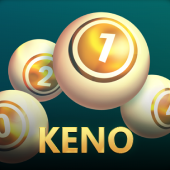
Keno is a focused number-picking Cards Game for players who enjoy simple choices, a quick round rhythm, and an uncluttered interface. This page explains the Keno format in plain language so that Philippine players can review the flow before choosing a session.
Use the Keno Demo approach as a learning routine: review the board, understand the selection controls, and set a personal session limit before you play. A clear plan makes the PHKKK app experience easier to follow on a small screen.
What Is Keno?
Keno is built around selecting numbers from a displayed field and following the result of the round. The design keeps the central decision visible: choose a set of numbers, confirm the entry, and watch the draw sequence. The outcome of each round is separate, so previous results should not be treated as a prediction for the next one.
As a Cards Game category title on PHKKK, Keno offers a different pace from a reel-based slot. Its number board gives the player a direct visual checklist, while the compact controls are suited to mobile browsing. The Keno Demo reading path on this page is for orientation only and does not represent a promise of results.
Players who want to compare the feel of a number board with other formats can browse Wild Ape as a contrasting game page. Keep the comparison focused on interface and pace, not on assumptions about future outcomes.
For a measured start, use the PHKKK login route only when you are ready to play, check the displayed game information, and take breaks between sessions. The phkkk app download wording may appear in platform navigation, but players should use the official on-page controls and review any applicable terms.
How to Play Keno
1. Open the game view
From the PHKKK games area, choose Keno and allow the game panel to load. On a phone, keep the device in a comfortable position and make sure the board, confirmation control, and current entry are all visible.
2. Review the number board
Read the available numbers and the current entry information before making a selection. The Keno Demo method is to pause here, identify the controls, and avoid tapping quickly simply because a round is available.
3. Choose and confirm
Select numbers according to the choices offered in the game interface, then check that your entry matches your intention. Confirm only after reviewing the visible details and your personal session limit.
4. Observe the draw
Let the round complete and read the result shown by the game. A previous draw does not change the independence of a later draw, so do not chase a result or increase a stake to recover a loss.
5. Close the session thoughtfully
Record a brief note if that helps you stay aware of time and spending, then take a break. The Keno Cards Game experience should remain entertainment rather than a response to financial pressure.
Open the PHKKK game area when you are ready to review the live interface.
Keno Features
- Clear number-board presentation keeps the main selection task easy to identify.
- Compact mobile controls support one-handed browsing on smaller screens.
- A short round flow makes it simple to pause and review a session plan.
- Visible entry confirmation helps reduce accidental selections.
- A straightforward format suits players who prefer decisions over complex menus.
- The Keno Demo checklist encourages learning the interface before making an entry.
Features can vary with the active PHKKK interface, device, and account view. Read the information shown in the game panel rather than relying on an outside description. If you choose to continue, the PHKKK app game link opens through the platform promotion action.
Keno Session Planning
Set a time boundary
Decide how long you want to browse and play before opening a round. A phone timer or a simple note can make the boundary visible when the game pace feels quick.
Choose a spending boundary
Use only money you can afford to lose for entertainment. Keep the limit separate from essential expenses, and never borrow or use emergency funds for a Keno session.
Avoid prediction shortcuts
Number frequency, a recent miss, or a recent hit cannot guarantee what appears next. Treat a Keno round as a fresh event and do not increase risk because of a pattern you think you see.
Know when to stop
Stop when your planned time or spending boundary is reached. If playing stops feeling comfortable, close the game and consider using available responsible-gaming support tools.
The Keno Demo mindset is useful even after you know the controls: observe your decisions, keep expectations realistic, and make the next choice only when it fits your plan.
Related Games
Keno belongs to the Cards Game collection. The following real PHKKK titles offer other visual themes and play formats to explore. Open a game through the platform action and review its own information before playing.


For a broader fishing format, the Open Sesame Mega page provides another destination in the PHKKK collection. Players who enjoy a more visual, action-led format can also review Happy Fishing while keeping the same session boundaries.
Keno FAQ
On PHKKK, Keno is listed in the cards category. Its interface is based on choosing numbers and following a draw, so it has a different presentation from traditional reel games.
It is a learning routine for reviewing the board, controls, entry confirmation, and round flow before committing to a session. It is not a prediction tool and does not promise an outcome.
The PHKKK site is designed with a mobile-first layout. Use the current game view and check that controls are visible on your device before confirming any entry.
No. A previous result should not be used as a guarantee or prediction for a later round. Make decisions from the current information and your session plan.
Set a time and spending boundary, take regular breaks, avoid chasing losses, and stop when your limit is reached. Seek support if gaming no longer feels like entertainment.
Ready to Review Keno?
Return to the PHKKK game area, read the current information, and use the Keno Demo checklist before making a choice. The Play Keno Now action uses the site’s existing promotion flow.
Keep play within your plan, take breaks, and treat every Cards Game session as entertainment.